Case studies / Indiscapes
A marketplace for India's stories — and the people who shoot them.
Indiscapes licenses authentic Indian footage and photography — festivals, farms, classrooms and cities seen from the sky — to journalists, filmmakers and content creators. We designed and built a two-sided marketplace as a native web app on WordPress — a credit-based storefront that makes the right clip easy to find, and a contributor studio that pays creators for every download — engineering its three custom plugins with Claude Code.
Client
Indiscapes
Industry
Stock footage & photography
Scope
UX, UI design, WordPress & WooCommerce development
Timeline
6-10 months
The client
Real Indian stories, licensed properly.
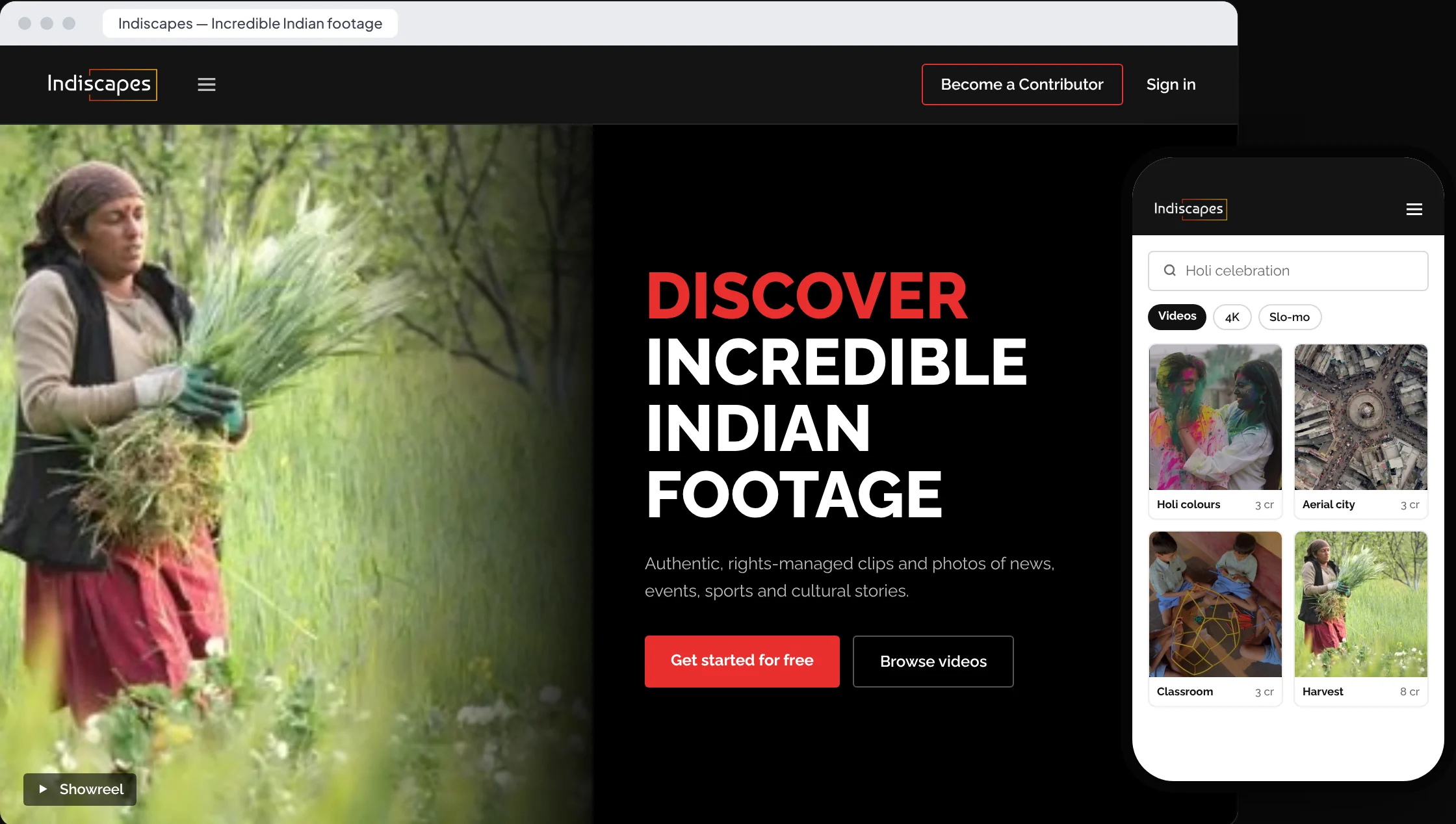
Indiscapes curates authentic, rights-managed footage and photography of India — news, events, sports and culture — for journalists, filmmakers, agencies and creators. It is built as an ecosystem: buyers get content they can trust, and photographers and videographers get a fair, transparent place to earn from their work.
The brief
Two audiences, one marketplace.
Build a store buyers trust and a programme contributors want to join — with search, previews, licensing, credits and downloads handled end to end, on a WordPress back office the Indiscapes team can run day to day.
The challenge
Make the right shot easy to find — and hard to steal.
01
Discovery at scale
A growing library across 18 categories. Editors on deadline need to narrow it down by type, orientation, resolution and frame rate in seconds.
02
Previews that protect
Every clip has to sell itself in a preview without giving the original away — for contributors, that protection is the whole deal.
03
Licensing in plain words
Standard vs Extended licences, credits vs subscriptions, editorial use — buyers need clear answers before they commit.
04
A supply side to grow
A marketplace is only as good as its contributors. Joining, uploading and getting paid had to feel simple and transparent.
Our approach
From an archive to a marketplace in five steps.
We designed for both sides at once — the buyer hunting for a shot and the contributor sharing their work.
01
Discover
Mapping buyer journeys — search, preview, license, download — and the contributor journey from application to payout.
02
Structure
Videos, Photos and Free as the spine; collections by theme; listing pages, account, downloads and a contributor area.
03
Design
A cinematic, black-and-red interface that lets the footage lead, with Raleway type and the logo's ember gradient.
04
Build
WordPress and WooCommerce, extended with three custom plugins — commerce, frontend and contributor — engineered with Claude Code.
05
Launch
Staging review with the team, content loading, payment testing and handover of the listing workflow.
Key design decisions
Four ideas that serve buyers and contributors alike.
01 — Search that thinks like an editor
Filter by the specs a production actually needs.
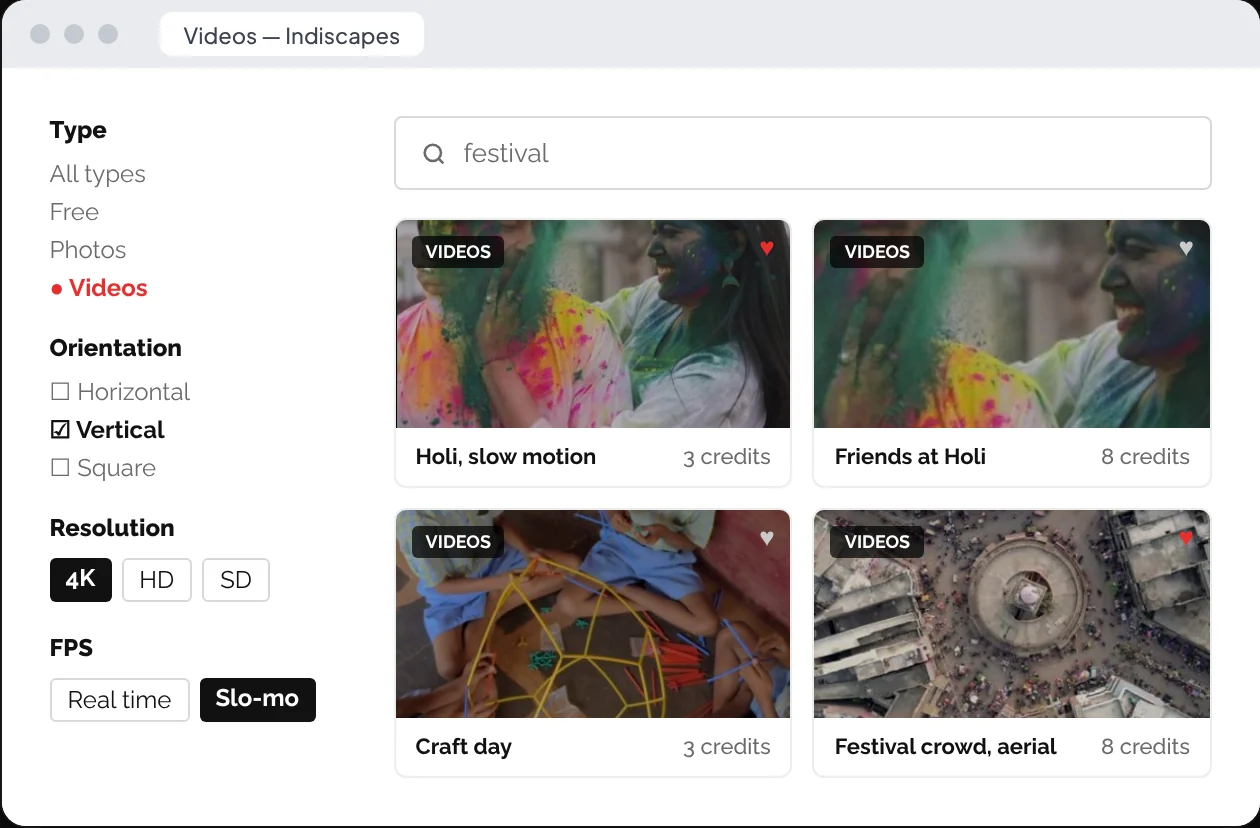
Every listing page pairs search with four filters — type, orientation, resolution and frame rate — so a filmmaker can go straight to vertical 4K slo-mo for social. Results show the credit cost up front, with a heart to save favourites for later.
02 — Previews that protect
Show the shot. Keep the original safe.
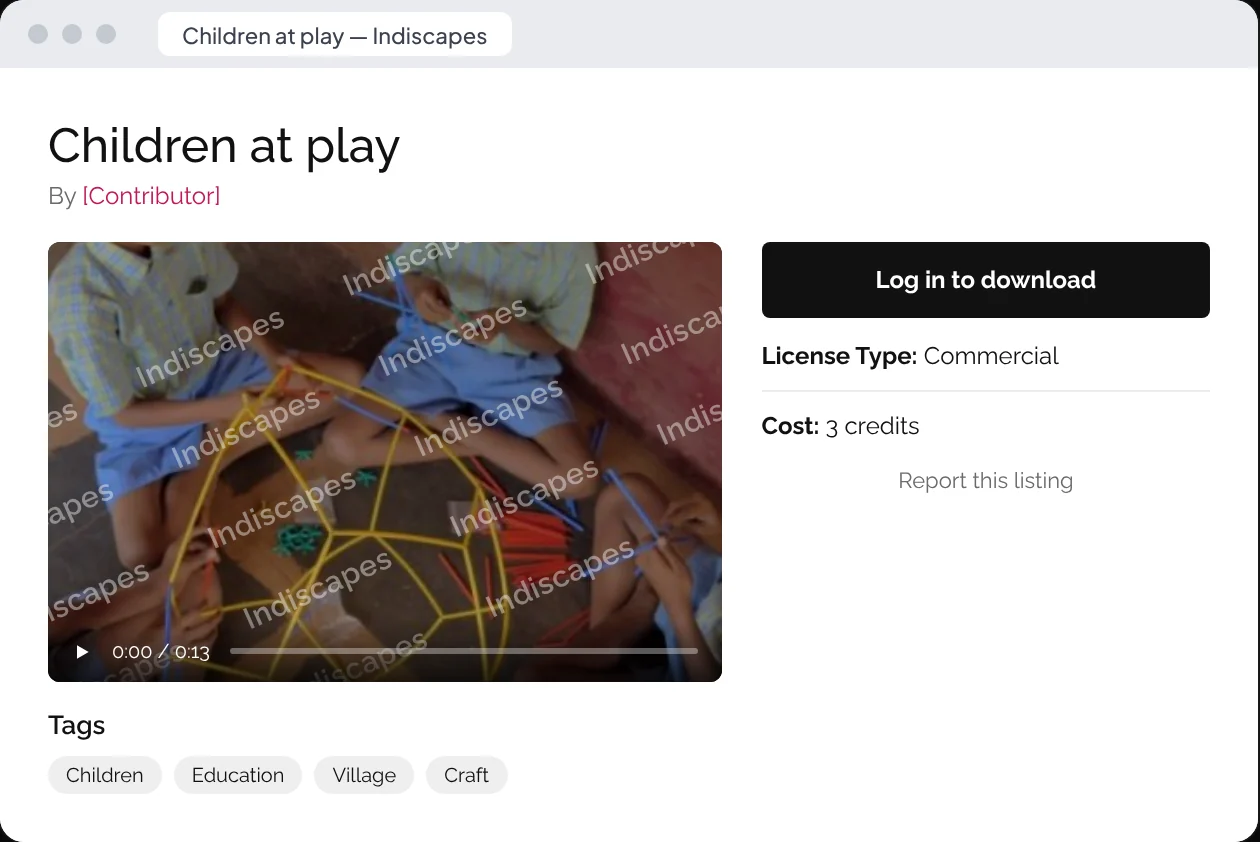
Buyers see a playable, watermarked preview at medium resolution, generated automatically for every asset. Originals stay behind login and licence, and preview files can't be hotlinked from other sites — the reassurance contributors need before they upload.
03 — Credits, not checkout friction
One currency, two licences, no fine print surprises.
Buyers pre-purchase credits and spend them per asset — the cost shows on every card. Pricing and FAQs explain Standard and Extended licences, subscriptions and editorial use in plain language, and every purchase lands in My Account › Downloads.

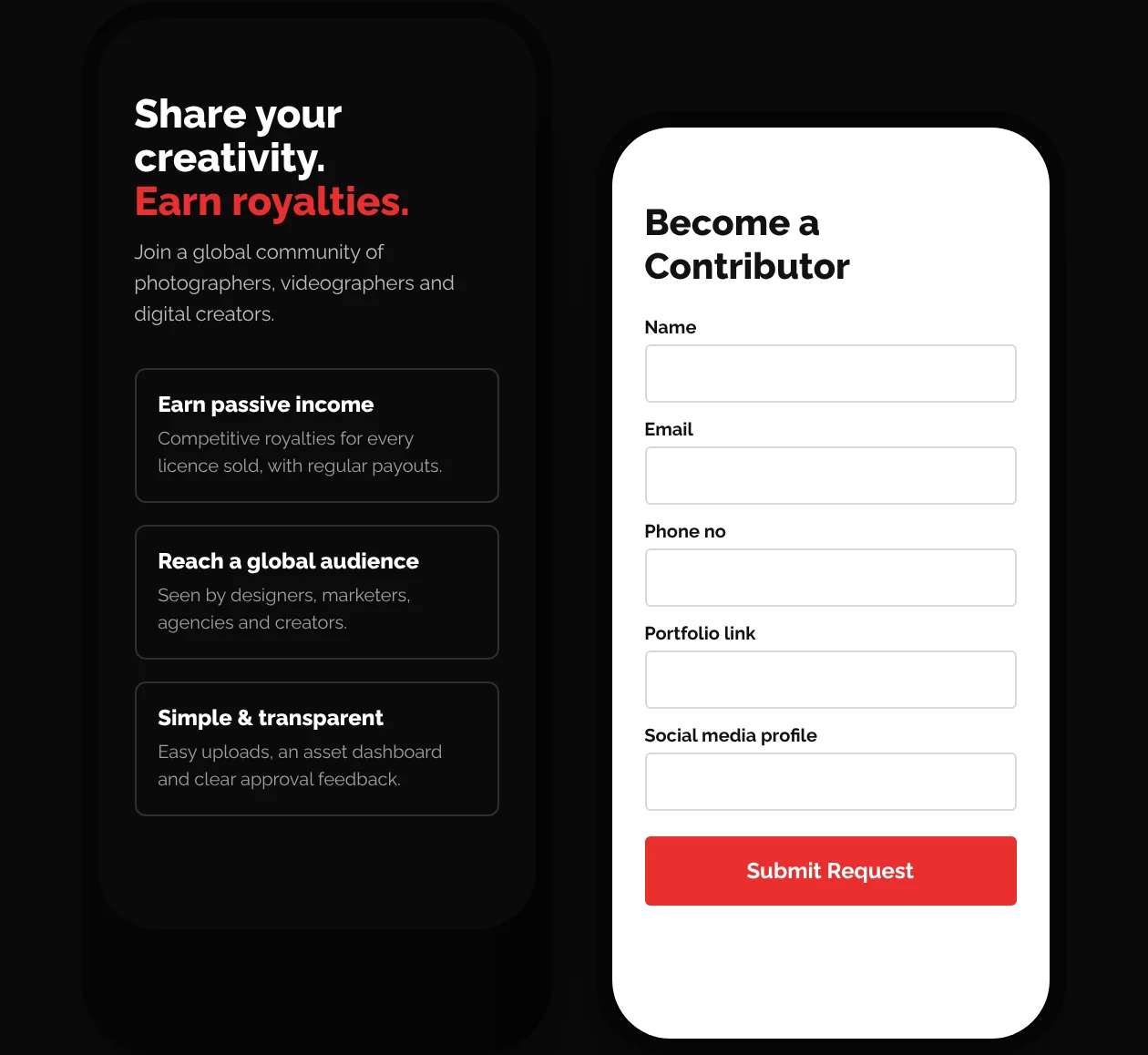
04 — A contributor programme, built in
The supply side gets its own front door.
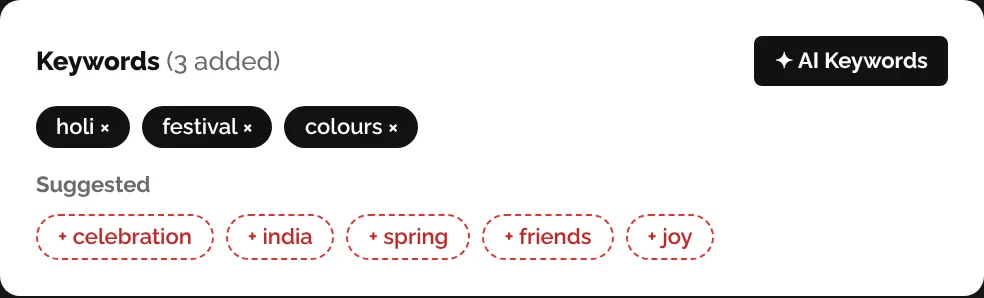
“Become a Contributor” sits in the header on every page. Creators apply with a portfolio, and once approved they upload in bulk through a submission studio with autosave and AI keyword suggestions, track review status in their portfolio and earn on every licence sold.
Visual system
A dark cinema for the footage, lit by one ember of colour.


Tech & development
A native web app, running on WordPress.
Off-the-shelf stock themes couldn't handle credits, watermarking and a contributor pipeline. We kept what WordPress and WooCommerce do well — content, accounts, payments — and built the marketplace itself as three custom plugins that behave like an app: search, wallet, uploads and dashboards update in place, without page reloads.
01 — Commerce plugin
A credit wallet that never leaves buyers stuck.
Credits live in a wallet on each account. Buyers redeem in one click, and a short balance turns into a top-up path rather than a dead end.
- Credit wallet — live balance and lifetime credits on every account
- Tiered credit packs — chosen on the listing, added to cart and sent straight to checkout
- One-click redeem — debits the wallet and returns a gated download link
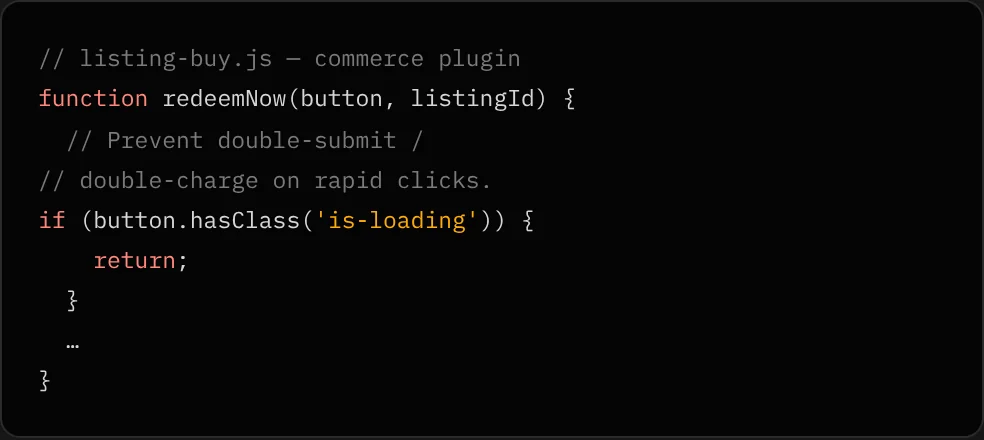
- Double-charge protection — repeat clicks are blocked while a redemption is in flight
- Recovery paths — insufficient credits or a logged-out visitor get a “Buy credits” or sign-in route
02 — Frontend plugin
Search, discovery and accounts that feel like an app.
A custom listing type with collections, keywords and video tags drives everything buyers see — rendered through templates the team edits in Elementor.
- Live search — filters, keywords and pagination refresh results in place
- Buyer dashboard — downloads, favourites, wallet and recent activity at a glance
- Favourites — save clips from any card, including live search results
- Contributor profiles — bio, speciality and portfolio count for every creator
- Accounts — social sign-in, a header account menu, related clips and report-a-listing
03 — Contributor plugin
An upload studio built for volume.
Approved creators get a submission workspace designed for shoots of dozens of clips, with the paperwork a stock library needs built in.
- Bulk upload queue — drag-and-drop, thumbnails, multi-select editing and autosave
- AI keywords — suggested tags from the OpenAI API, accepted as chips
- CSV metadata import — titles, descriptions and keywords for a whole batch at once
- Releases & rights — model/property releases, licence type and a rights confirmation
- Portfolio & review — application status, approval state and reviewer feedback per asset
04 — Content protection
Previews that sell without leaking.
Protection works in layers, so no single browser quirk exposes an original.
- Generated watermarks — versioned, watermarked medium previews for every photo
- Video guard — exits fullscreen and picture-in-picture on previews in every major browser, including iOS Safari
- Hotlink protection — preview files refuse requests from other sites
- Streaming via VideoPress — previews stream from a CDN, not the web server
- Gated originals — full files only reach signed-in buyers who hold a licence
Built with AI
Engineered with Claude Code, reviewed by our developers.
We used Anthropic's Claude Code as an engineering partner across the build: shaping the architecture, writing the three custom plugins, and stress-testing them for security and edge cases. Our developers set the direction, reviewed every change and owned the result.
01 — Architecture & data model
Plan first, then build.
With Claude we mapped listings, credits, wallets, licences and contributor states into one model, and split the marketplace into three plugins with clear boundaries between them.
- Commerce owns money: packs, wallet, redemption
- Frontend owns what buyers see: search, cards, dashboards
- Contributor owns supply: applications, uploads, review
02 — Custom plugins
Production code, written with Claude Code.
Claude Code wrote and iterated the plugin code with us — documented as it went, so the team can maintain it long after launch.
03 — QA, security & edge cases
AI as the reviewer that never gets tired.
We used Claude to probe the code for the cases a marketplace can't afford to get wrong — then fixed and re-tested each one.
- Money — double charges, empty wallets, logged-out buyers
- Requests — nonce-protected AJAX for search, favourites and redeem
- Browsers — fullscreen and picture-in-picture loopholes in Firefox, Safari and iOS
- Content — hotlinking and direct access to originals
04 — AI inside the product
Keywords that write themselves.
Tagging is the slowest part of contributing. The upload form asks the OpenAI API for keyword suggestions, and contributors accept them as chips.